Case study · Project year 2026
Aligner Tracker
A free, open-source Android app for recording clear-aligner wear, following a user-entered tray schedule, and keeping private progress records offline.
My role: Independent product designer and Android engineer
Outcome
Delivered a local-first phone app with one-tap IN/OUT tracking, timezone-aware daily accounting, encrypted portable backups, reminders, reports, and private progress photos.
Latest signed phone release
Download Aligner Tracker
Free and open source. No account, advertising, analytics, or subscription. The phone app works offline.
- Release
- v1.1.2 · code 15
- Compatibility
- Android 8.0+ · phone APK
- Package
- org.alignertracker.app
- File size
- 2.66 MB (2,662,870 bytes)
- SHA-256
- 43dadd13989b360d25b8403d64ef812a41f2c5480781d9c655f08dd4a5e71098
This APK installs outside Google Play. Android may ask you to allow installs from your browser. Verify the checksum above before installing, and only grant that permission for the installation.
A trustworthy record of daily wear
Clear-aligner wear is a sequence of small state changes: aligners go in, come out, and sometimes a switch is recorded late. I built Aligner Tracker to make that record quick to maintain without requiring an account or sending treatment records to a developer-operated service.
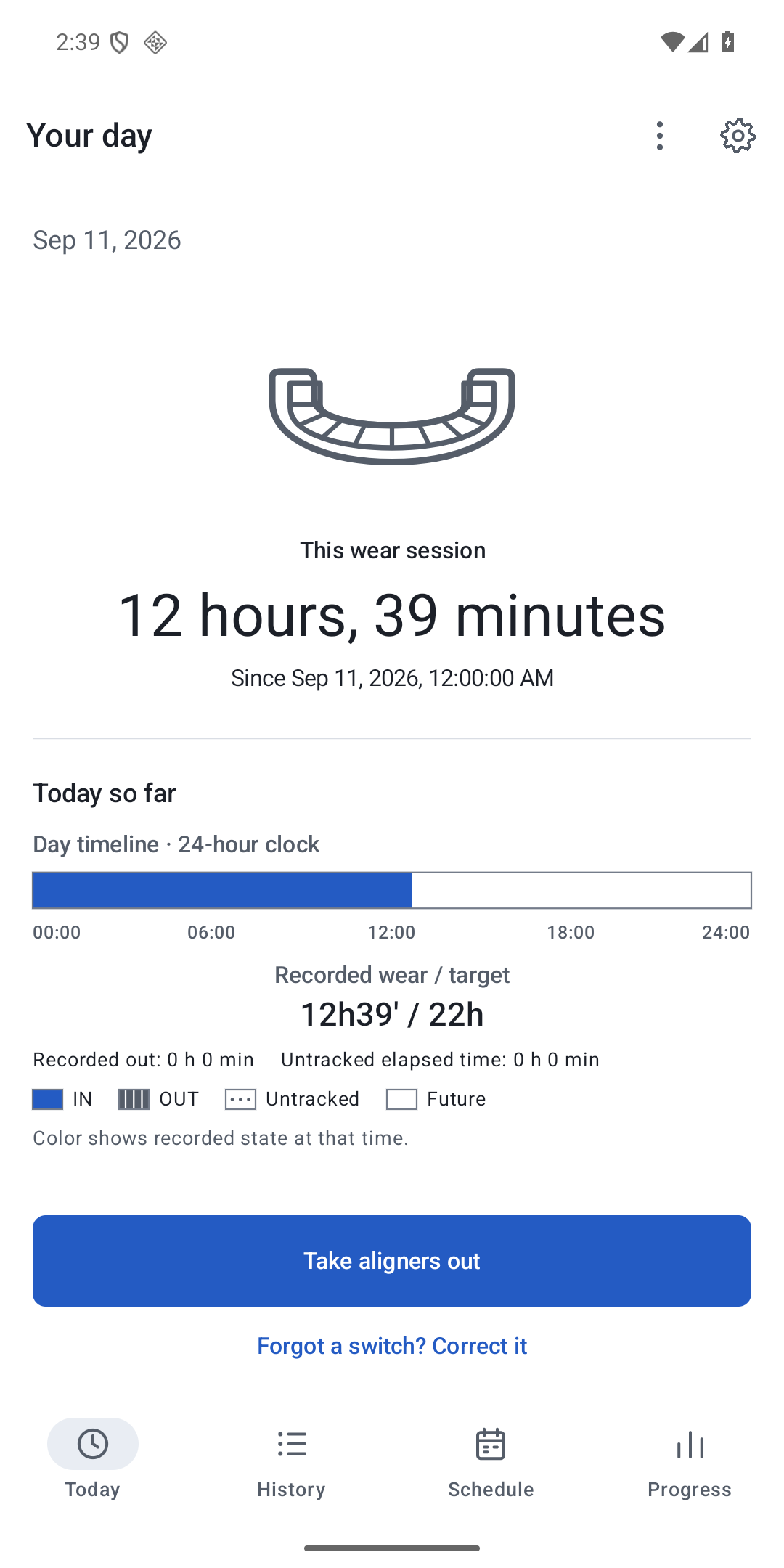
The phone app starts with an explicit IN or OUT state and an automatic timestamp and timezone. Treatment details remain optional rather than being guessed. The interface then gives the current state, today’s chronology, recorded wear, and untracked time enough visual priority to support the next action.
Local-first architecture and portable ownership
The native Kotlin application uses Jetpack Compose, Room, DataStore, coroutines, and WorkManager. Records and private photo copies stay in app-private storage. There is no account, advertising, analytics, subscription, developer-operated backend, or direct Internet permission in the phone app.
Portable backups can include treatment records and photos. Password-protected backups are authenticated and encrypted; plain exports remain deliberately readable. The user chooses every destination through Android’s document picker, so a selected cloud provider can still upload the file under that provider’s terms.
Time is part of the data model
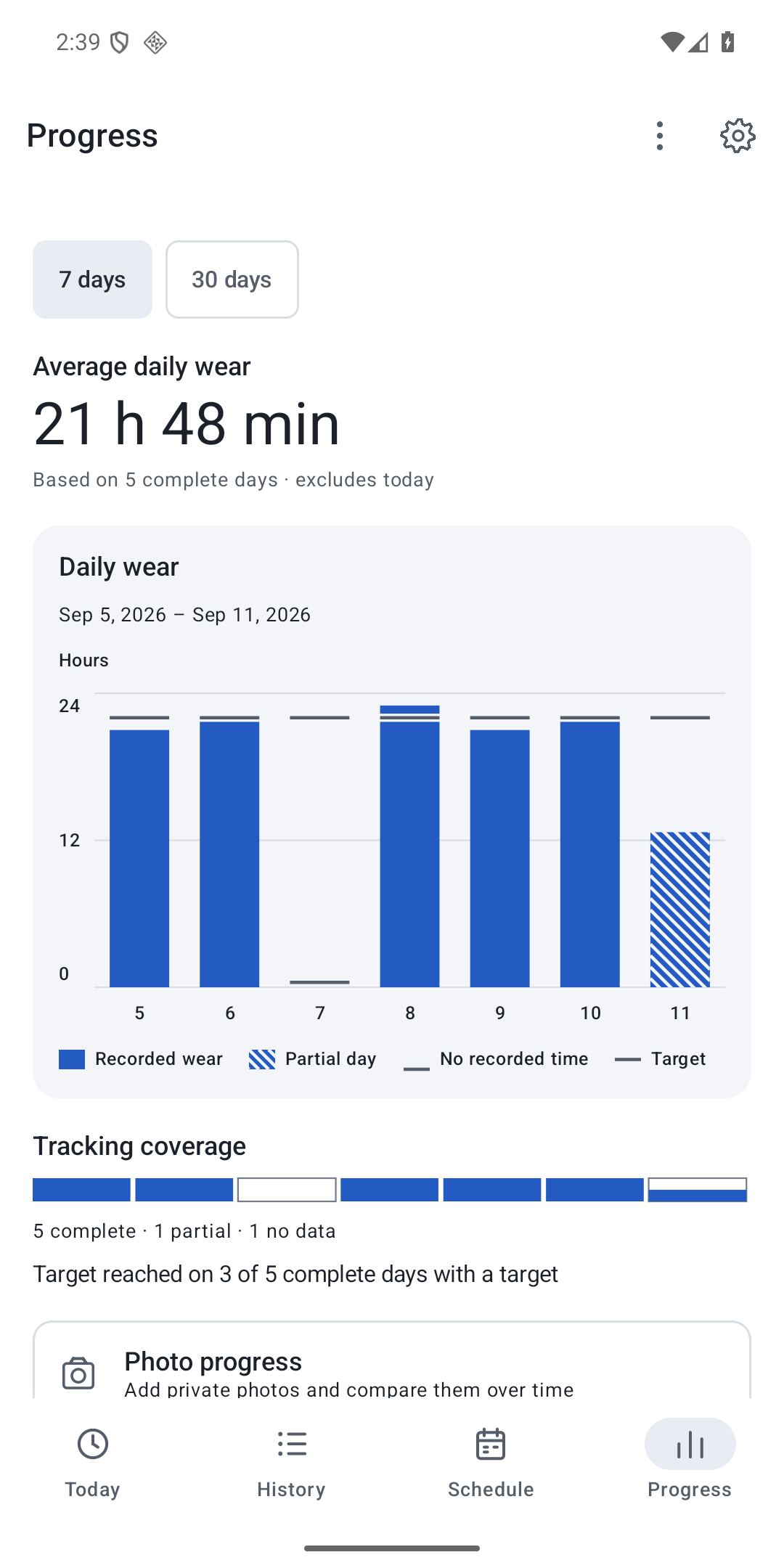
A wear total that crosses midnight cannot be assigned by simply subtracting two local clock readings. The app stores state-change instants and a fixed treatment timezone, divides intervals at local day boundaries, and accounts for daylight-saving transitions. Partial days and time before the first known state stay visibly untracked instead of being filled with invented wear.
Schedule revisions, tray changes, corrected intervals, reports, reminders, and backups preserve those semantics. The phone remains authoritative when the optional Wear OS companion is used; watch commands are reconciled through a durable queue rather than treated as a second independent record.
Release evidence and limits
Version 1.1.2 (code 15) is the signed phone APK offered here for Android 8.0 and later. Automated and emulator checks covered formatting, tests, lint, builds, upgrade preservation, core tracking flows, large text, dark mode, and RTL configurations. The displayed SHA-256 lets a downloader verify the exact APK bytes independently.
This is a tracking and reminder tool, not a medical device. It does not diagnose, assess treatment progress, or choose a wear target or tray schedule. Emulator and automated evidence also do not establish physical-device reminder reliability, human TalkBack comprehension, clinical effectiveness, or paired-Wear acceptance.
From one tap to an accountable day
- 01
Record state
Choose IN or OUT; retain the instant and treatment timezone.
- 02
Build the timeline
Split intervals at real local-day boundaries and show unknown time.
- 03
Review and export
Correct records, inspect history, and create a user-controlled backup.
Product screens
Actual emulator captures with synthetic example records.
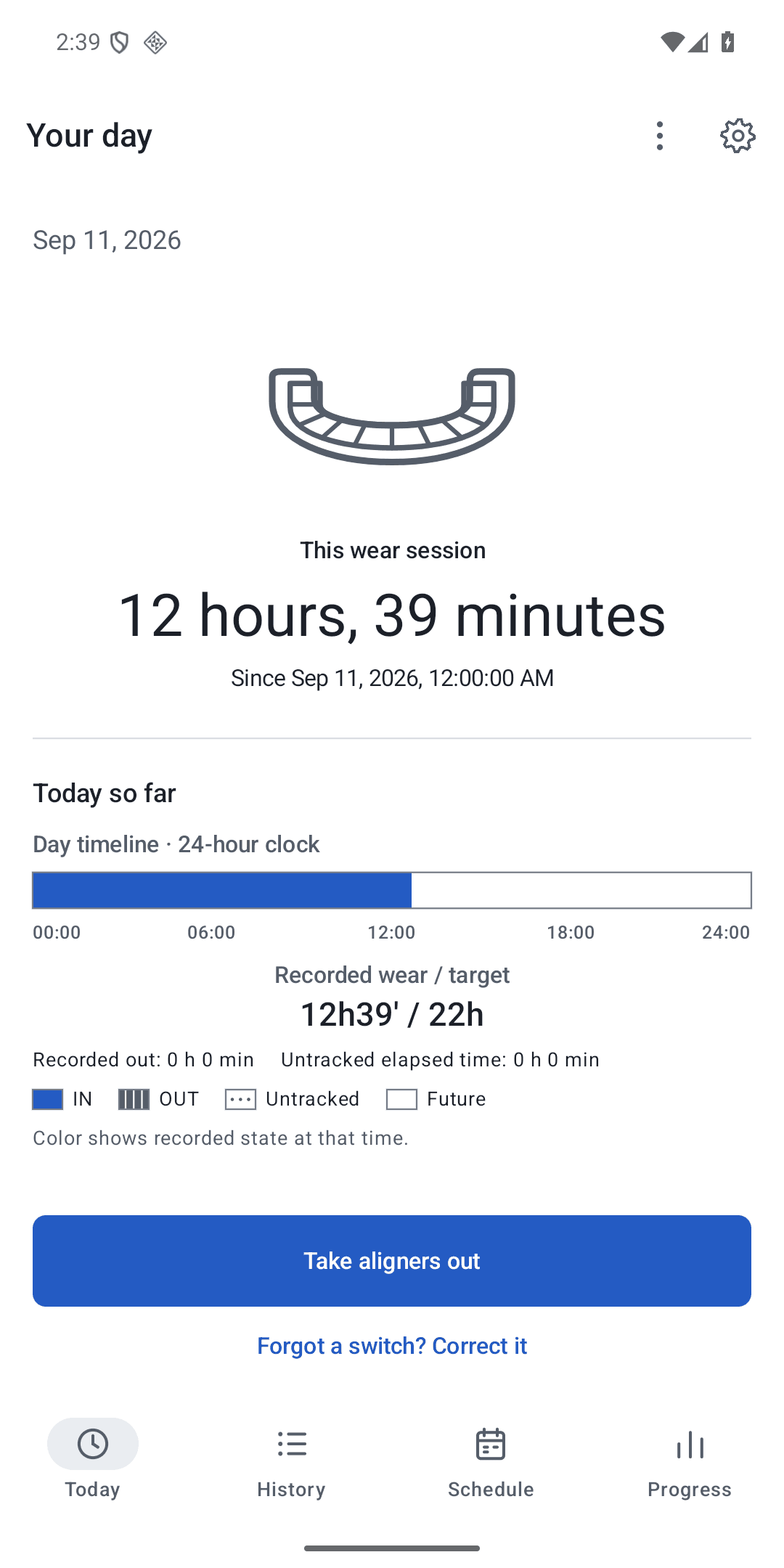
Today: current state and chronological wear timeline 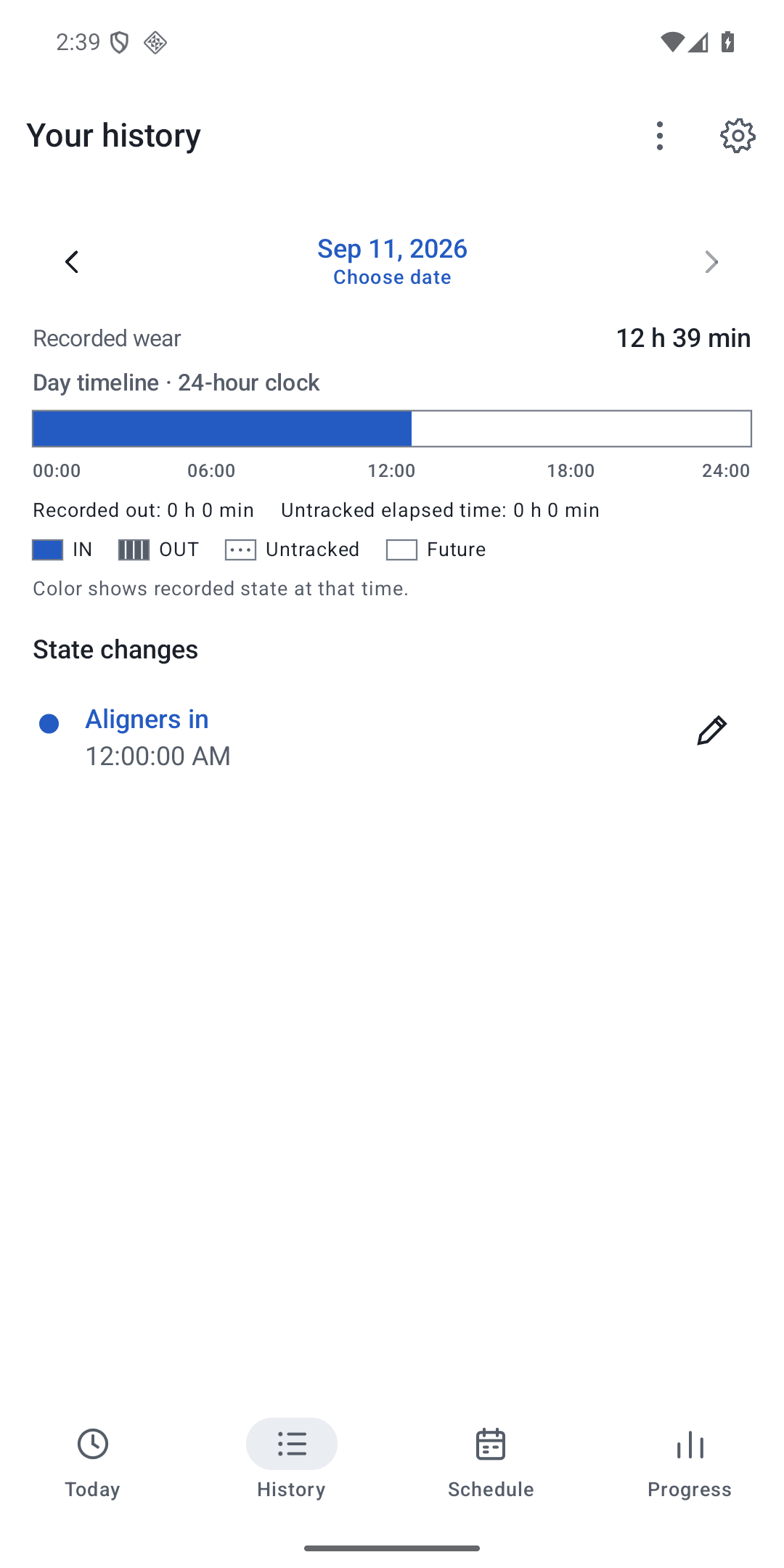
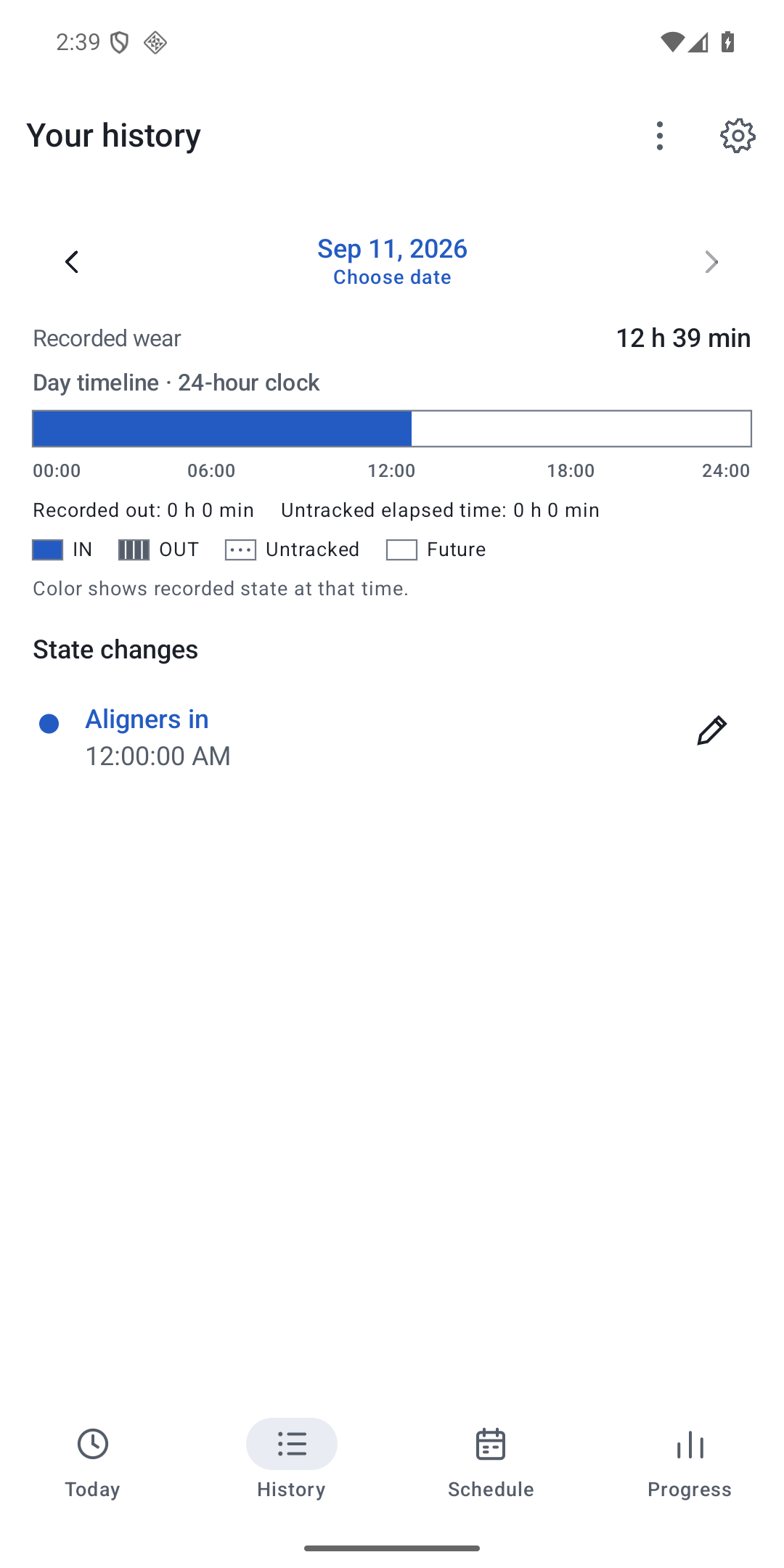
History: recorded wear and target comparison 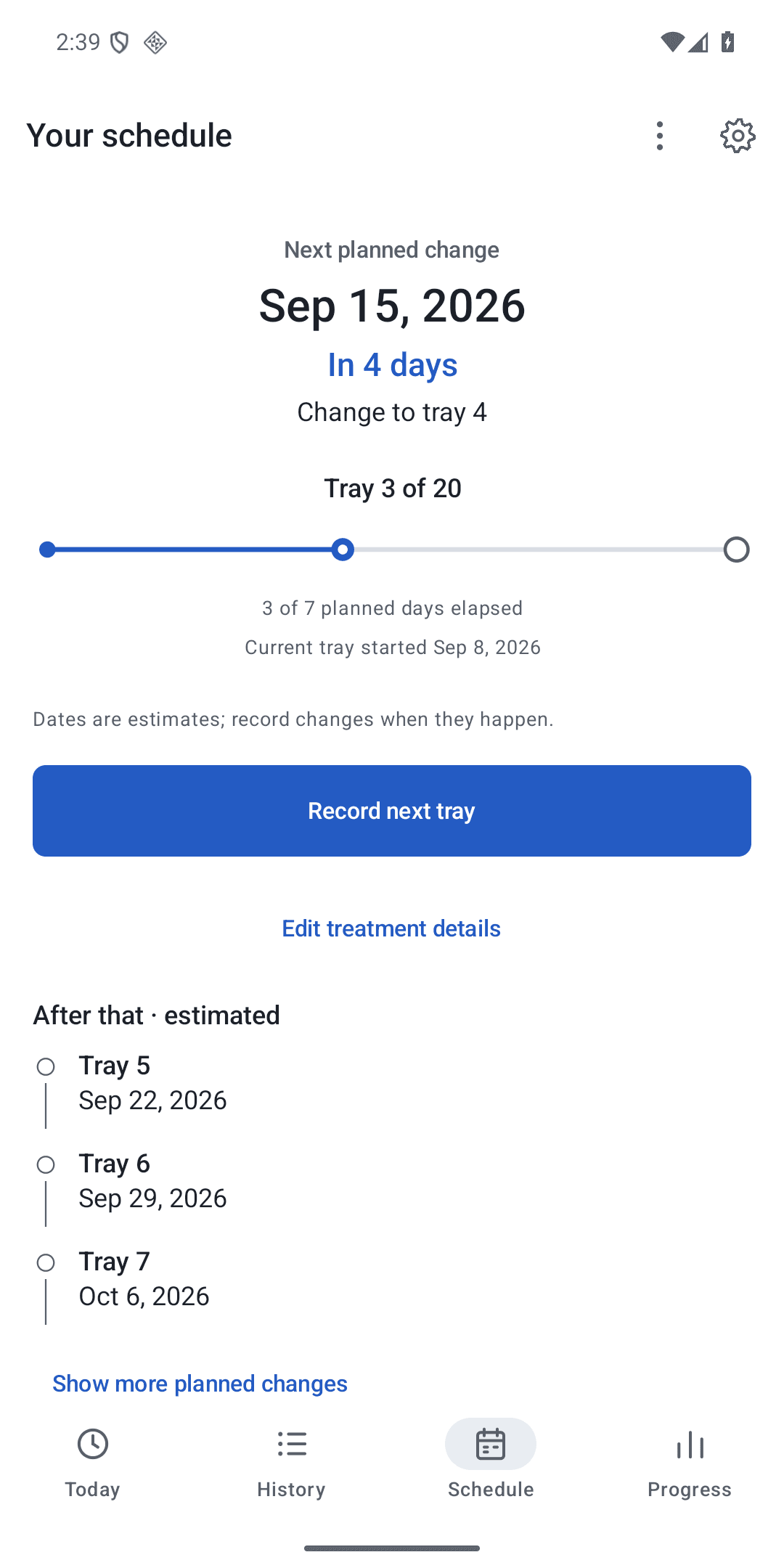
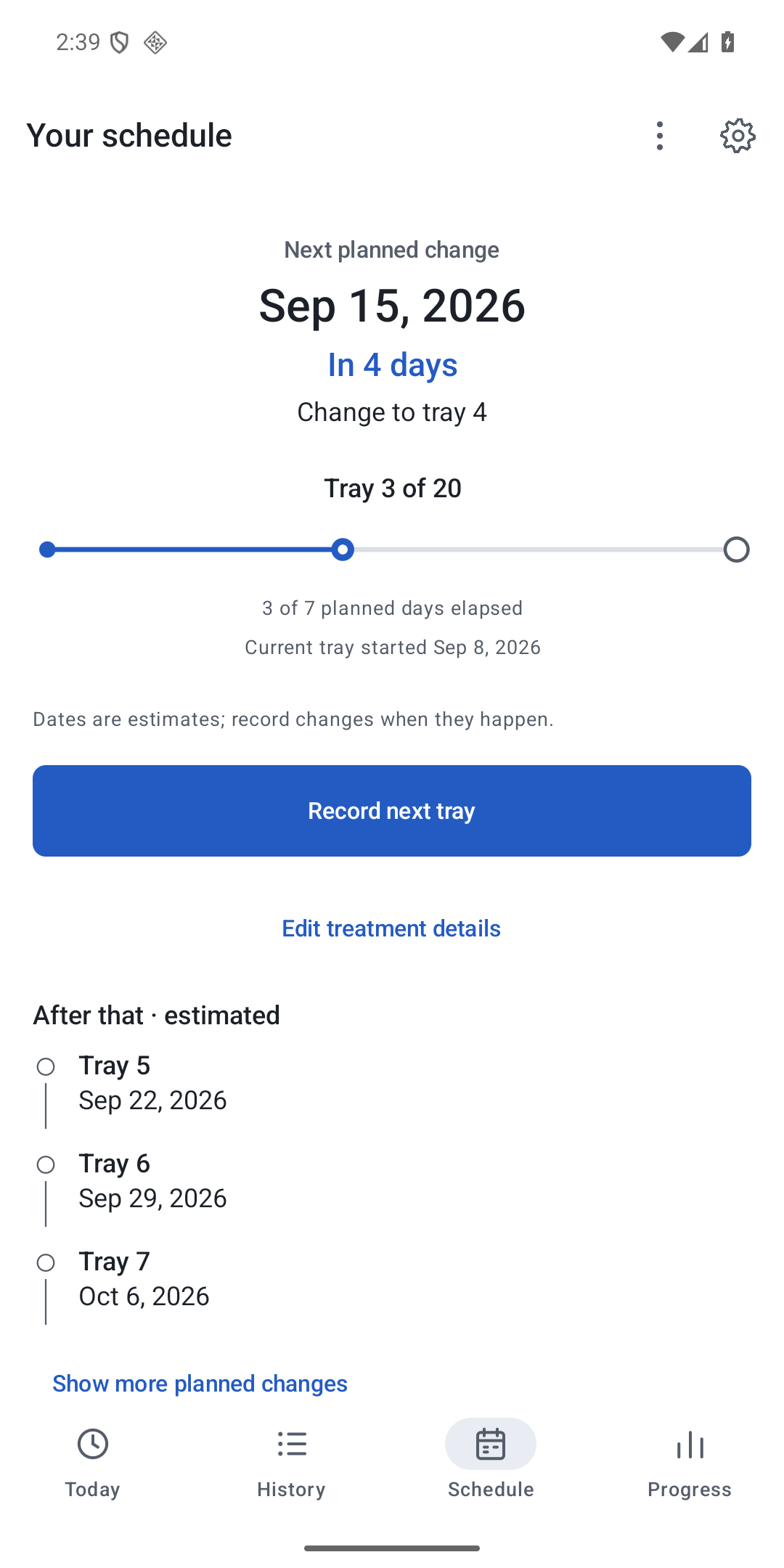
Schedule: tray plan and manually recorded changes 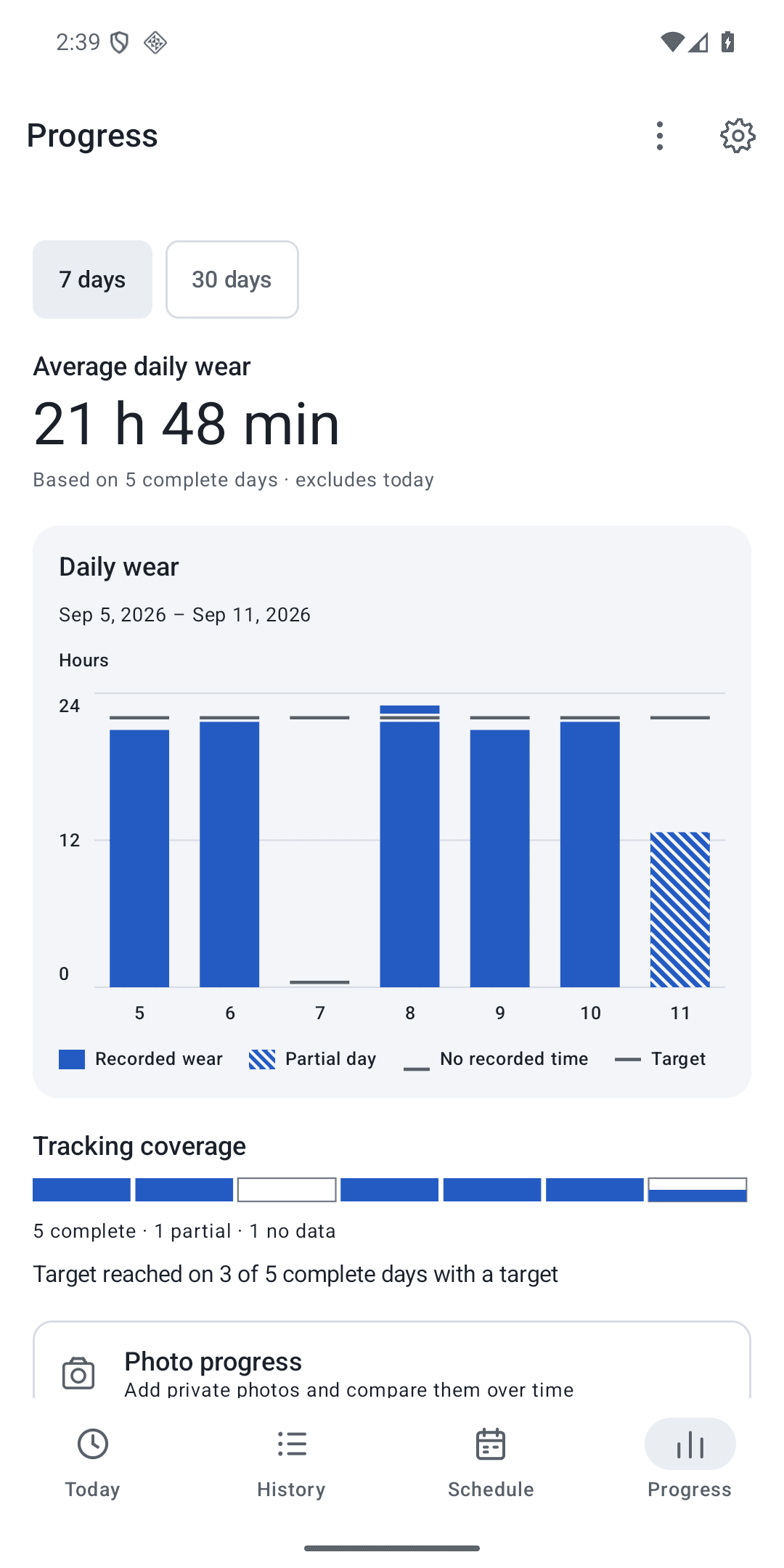
Progress: summaries and private photo comparison
Technology focus
- Kotlin
- Jetpack Compose
- Room
- WorkManager
Evidence and further reading
Evidence reviewed . Project year is separate from this review date.
- Inspect the v1.1.2 source (opens in new tab)
Public corresponding source and build documentation for version 1.1.2 (code 15).
- Read the privacy policy (opens in new tab)
Explains local records, photos, optional Wear communication, exports, retention, and deletion.
- Open the signed release (opens in new tab)
Tagged release page for the APK presented in this case study. Evidence reviewed 20 September 2026.